CW

Some Number Stations Sunday Morning

This morning I thought I’d search for number stations on the bands. According to Priyom.com,

Number stations are shortwave transmissions from foreign intelligence agencies to spies in the field of foreign countries. They carry encrypted messages in form of groups of numbers or letters, using either automated voice, Morse code, or a digital mode.

Here are a few number stations I heard this morning thanks to Priyom.com’s schedule: M12 station (Moscow) on 13.379MHz in morse code at 16:40 UTC. For those who don’t know CW, it is repeating “931” over and over with occasional breaks of “TTT” which Priyom says means “000”.   E11 station (Warsaw) on 12.229MHz in upper sideband mode at 16:50 UTC: “niner two niner oblique zero zero”.   HM01 station (Cuba) on 11.530 in AM mode at 16:58 UTC (schedule said 17:00 UTC), groups of numbers in spanish.   E07 station (a.k.a. “The English Man”, Moscow) on 12.223MHz in upper sideband mode at 17:00 UTC, “two zero one”.   It was very interesting listening live to these mysterious stations. Worldwide passive transmissions like these make you wonder what’s going on out there on the airwaves.

CW and FT8 and PSK, oh my!

In the past month, I’ve finally unblocked my antenna issues and made great strides in the digital realm of ham radio. Using the PreciseRF HG-1 magnetic loop antenna along with my RigExpert AA-600 to get the lowest possible SWR, I have found that I can get out to virtually all over the country simply from putting the antenna on the street. The loop only supports max 45W PEP, so it is definitely a low-power antenna. But I can only imagine how it would function if I were in a flat field or on a peak.


First CW QSO Confirmed

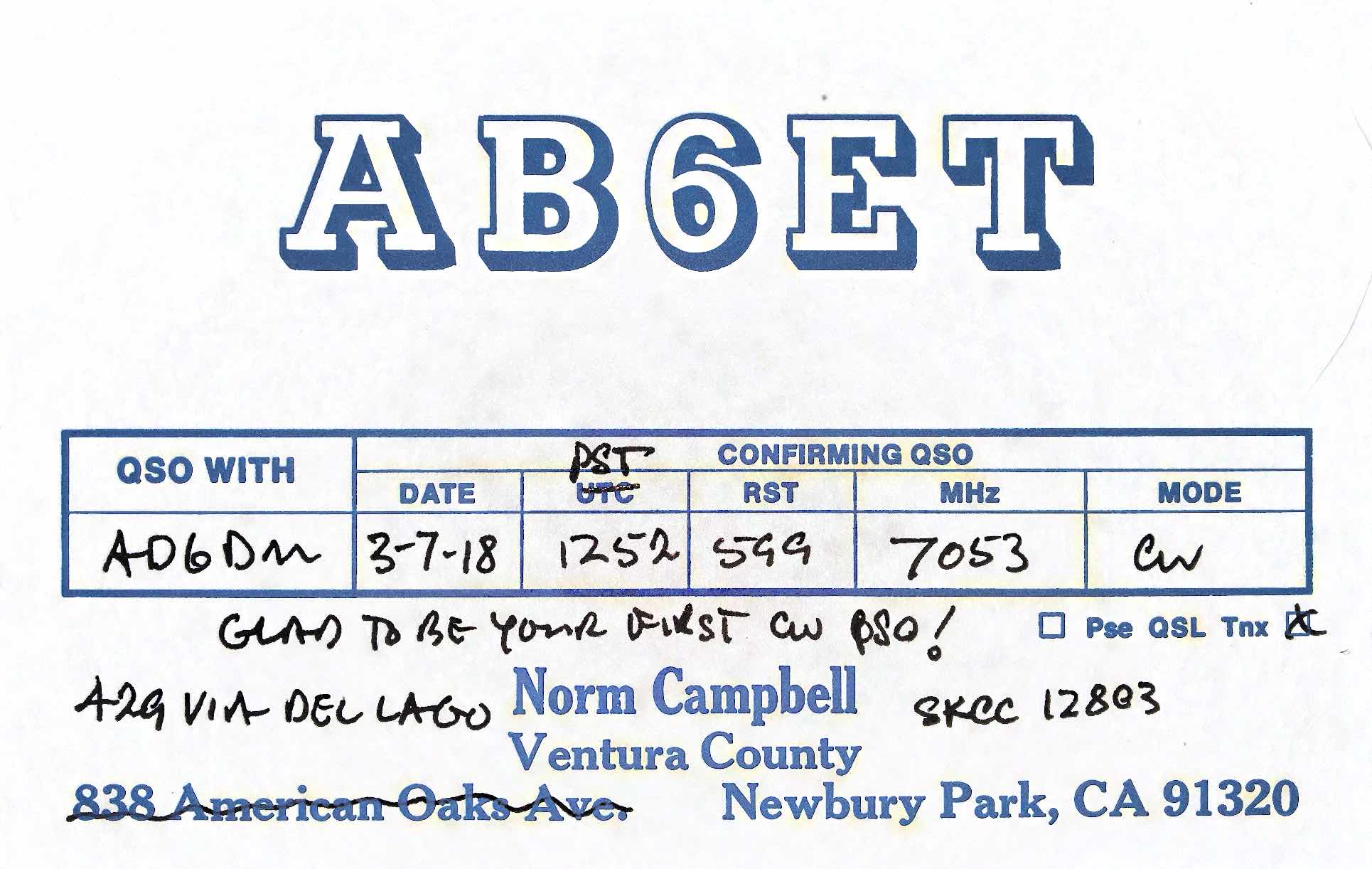
Today I received my first reply QSL card. And for a CW QSO, no less!  

AB6ET QSL Card
AB6ET QSL Card sent in response to the one I sent him. Thanks, Norm!
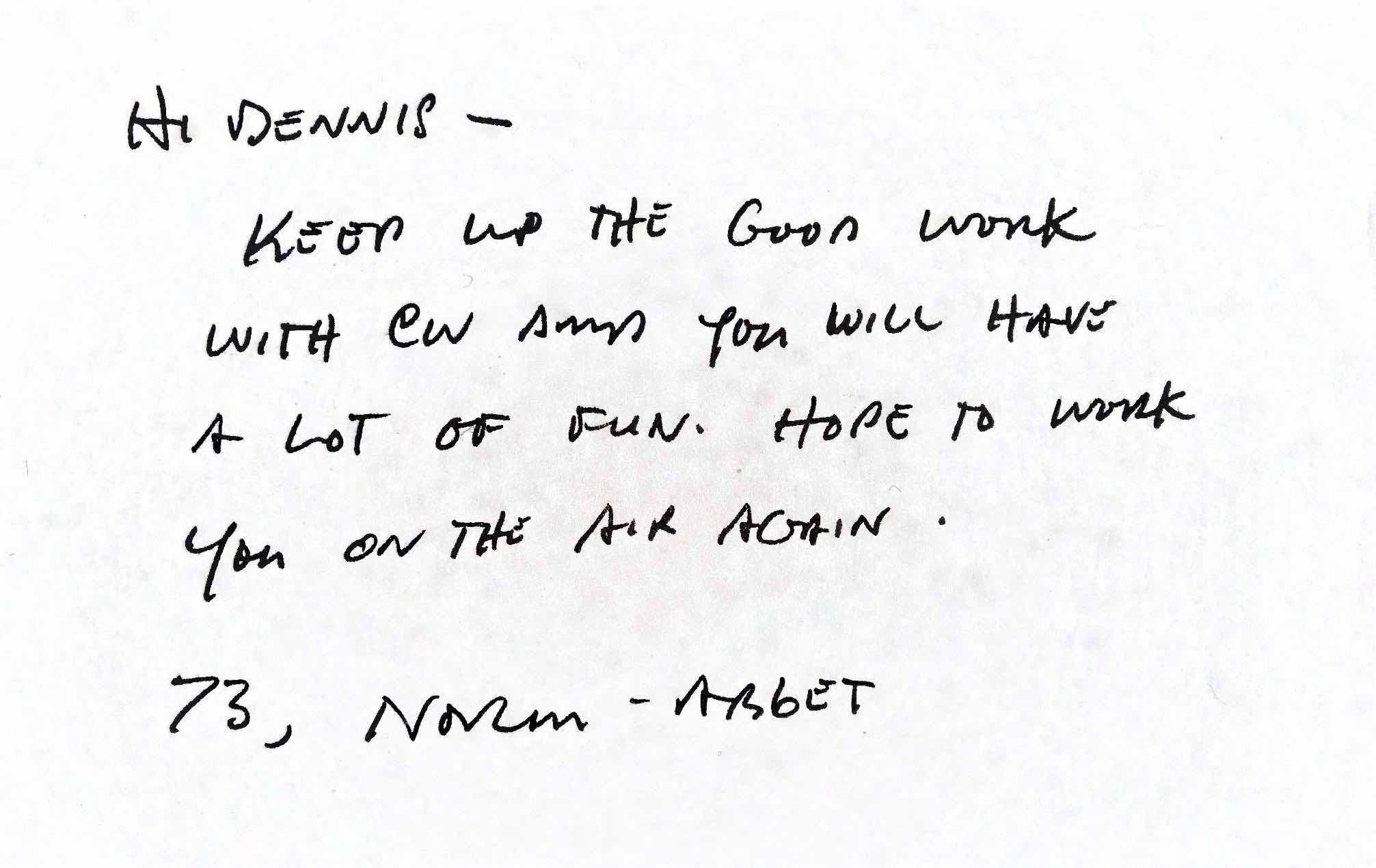
AB6ET QSL Card - Mar 18 2018 - 8-05 PM - p2
Back of AB6ET QSL Card

On March 7, 2018, during my lunch break I set up my mobile 40m hamstick in the office parking lot and surfed around the CW frequencies of 40m (i.e. 7.000 to 7.125 MHz). It was mostly me calling CQ and with no replies, but toward the end of the lunch hour, I heard someone coming in pretty loud, and slow enough that I could (mostly) make out the characters. By the second callsign send, I could visualize: AB6ET. I hoped I was getting it right. When AB6ET finished, I sent out, “AB6ET DE AD6DM AD6DM K”. Expecting to hear the CQ call again (which is normally the case, nearly no one hears me), I prepared to shut down and go back to work. But then AB6ET was sending my callsign! WOOHOO, I had just made a CW contact! The QSO was horrible, and by no fault of AB6ET. I sent “SRY MY CW IS BAD, NEW TO CW” (or at least I tried to send that), as well as totally mucking up his RST report and other words. I felt so unprepared. I didn’t have a pencil or paper, and when I thought I could rely on the CW translator of the radio, it totally failed me due to the background noise. I copied perhaps 25% of what he sent, but I did make out NORM as the name, and bits and pieces. It was an embarrassing conversation due to my limitations. Later that evening I found Norm’s email on QRZ.com, and asked him if I got the callsign right. The next day he replied that yes, we indeed talked on CW, and he encouraged me to keep it up and gave a lot of great tips on how to get better at CW. I felt very motivated to keep at the CW practice after that email. This contact was 300+ miles away on 40m, transmitting roughly 10 watts into a mobile 8ft vertical hamstick with about 2.2:1 SWR. Not bad for a lunch break, I’d say!


Wiring a CW Paddle

Many HF transceivers use a stereo jack for the internal electronic keyer. Some have a 1/4" jack, others have a 3.5mm jack. This is a note on how most of these are wired to a CW paddle. On a TRS cable (tip ring sleeve 3.5mm)

  • Red: tip (left, dit)
  • White: ring (right, dah)
  • Yellow: sleeve (common ground) (this wire could also be black)

If you’re right-handed, use the left paddle for the dit, which would go to the tip of the plug which would be the red connection. The white connection is the dah (right paddle) which goes to “ring” on the plug, adjacent to the tip. The common ground would go on the base “sleeve” connection on the plug, the yellow wire.


More CW Practice

Merry Christmas! Today I landed upon a video by KJ4YZI Eric of HamRadioConcepts (https://youtu.be/Jls-PiR-dBI) entitled “How I learned Morse code fast and easy”. I found the title suspect because CW is neither fast nor easy, but he did help me a lot with this simple video. He learned with the help of an Android app called Morse CT that allows him to practice by tapping the alphabet and numbers on his phone. It never occurred to me that I could tap on my phone screen to learn sending. I have been so slow going because the Koch method is tedious and very hard in the beginning. I was thinking I needed to bring my key to work, and practice using it in the off hours. I started researching practice code oscillators to connect with my key, and that was looking prohibitively pricey for the purpose. There simply isn’t a prebuilt little box that hooks up to your key and outputs to headphones for private CW practice. So seeing Eric’s video, I looked for an iOS equivalent app, and found Morse-it by Pacolabs. Now I can say, within a day I know how to send CW at around 12wpm. The app tests different aspects of CW: Tap out a series of random letters, or listen to CW and translate. Within an hour I was hitting spot-on in the composition. But half a day and I’m still about 25% on the copying from listening. There’s truth to the comments in the video: You need to learn by listening. That’s the hard part. Before today, while learning via the Koch Method, I was at around 10 letters of the alphabet listening at 17wpm. This little app was a boost of encouragement by helping me to learn the full alphabet in a short period of time, but I still cannot read as quickly as I need to… not even close. I can now talk to people, albeit slowly, but copying them will still be a challenge. So I can say that CW is neither fast nor easy. But using Eric’s method is a great boost in just slogging through the Koch Method. At least now I can actually reply to people, even if I don’t understand their full message yet.


Learning Morse Code

I’ve found that learning CW is hindered by my preconceptions I’ve had about Morse code. When initially starting on the Koch Method using HamMorse, I would turn the sound I heard into a mental picture of dots and dashes, then I’d do an internal lookup of what that picture in my mind was against the alphabet. As you can imagine, this takes way too long, and takes too much concentration to effectively work in real-time CW translation. After many hours of trying and listening, I realize now what others have said all along about Morse: Just relax, and let the sounds come in on their own. The sounds need to reflexively become letters with little mental effort; Don’t try to visualize dots and dashes. Just listen, practice, and let the sounds become letter representations in your mind. The above sound file says: CQ CQ CQ DE KF6UJS KF6UJS KF6UJS PSE K That is what my CW general call to the world would be if I wanted to start a conversation with anyone listening on the frequency. CQ means a general call; DE means “from”; PSE means “please”; K means “go” (i.e. invite to respond).


Being a Ham Means Figuring Things Out

A setback day today, as I finally received a USB audio cable for my attempts to use fldigi with my mac laptop (one of the few SDR programs that works on macOS). I was so looking forward to CQ’ing on my available bands with CW in an automated sense, but no luck. The USB audio cable I ordered (manufactured in Greece, no less), doesn’t seem to work. It is quite frustrating to wait forever for the requisite parts only for me to once again face the world of failure and non-support on Apple Mac computers. The ham software world is very driven by Windows software, something hams really need to change. For the most part, most hams I talk to are using old versions of Windows, and rarely know much about computers– a direct opposite of my life. Had I the desktop software skills, I would totally try to port many of these apps available to the Mac realm. So today has been a setback on several ham fronts: CW was a hard study today, I found the bands empty when searching, and now my foray into digital modes has been halted by technology. But, I am not despairing (too much). Part of being a ham is persistence in the face of a problem. Trying different ways and different configurations until you get the setup right and are able to talk to others.


Ham Code Guide

Spurred by the previous post, I’m using the Koch method for learning Morse code (CW). I’m attaching here a document I made back when I first became a ham in 1999 that is a quick reference for prosigns and Q-Codes. Morse is also there, but I do not recommend CW by sight, has to be reflexive by sound. A good iOS mobile app for this is Ham Morse by AA9PW. Here is my reference document: Ham Code Guide by KF6UJS.


Found a Beacon on 2m

I briefly heard someone on 10m single-sideband (SSB) saying goodbye to his QSO friend, and that he was going to tune around on 2m SSB. Although I knew 2m SSB existed, never occurred to me that now that I have an all-mode rig, I could also tune around there instead of being bound only to FM by a handheld radio. I started sweeping from 144.100 MHz and started hearing morse code at right around 144.282 MHz. I switched to CW mode and tuned further to 144.282.23: https://youtu.be/tsUv91BxZxQ I recorded it, and was fascinated. Note, this was received while connected to my 10m dipole antenna that is pretty poorly mounted against a fence 6ft off the ground– not the most optimal setup. After spending many retries, replaying the recording over and over and referencing my morse code (CW) cheatsheet, I found this to say: