Project

VARA FM / Packet Dual-Mode Winlink Gateway in Linux

As you might have read earlier in this blog, I put up a VARA FM / packet VHF dual-mode Winlink Gateway AD6DM-10 at the tail end of 2021. This system is still going, through both a Windows Update-induced tiny PC death, and more recently, a bloated aging laptop battery. It runs on Windows 10, and is currently on an Evolve III “jankapotamus” laptop. Moreover, I managed to fry my Windows 10 ruggedized tablet that I got from Huntsville Hamfest last year. (I thought I was trying a safe voltage while testing a barrel plug, but after 2 seconds I heard a pop and then saw the magic smoke.) Anyway, with the latest problems with these PCs, though not related to Windows, I decided it was a great chance to find a replacement system and use an operating system that is known for uptime and reliability: Linux.

Why Do We Use LiFePO4?

The tl;dr

Lithium Iron Phosphate (LiFePO4) batteries are the cheapest, safest lithium chemistry with lighter battery packs, have a longer life with thousands of recharges, match traditional 12-volt specifications better than other chemistries, and have the most output: a 90% usable capacity. Hams love them!

I Need Power

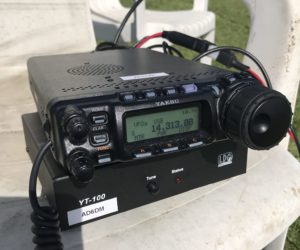
Ham radio is a hobby that starts simply enough, normally through the purchase of a VHF/UHF handheld transceiver with its own battery pack and charger. Once an amateur radio operator decides that they want to go to more advanced HF and get their General class license (or move to mobile VHF/UHF rigs), that’s where the gear starts getting a little more complicated. One of the things a new General class ham will find about new HF radios is there’s very little in the way of explaining how to power the more advanced rig. All you get is a funky Molex connector and a pair of bare wires with fuses on them. When I got my first HF rig, a Yaesu FT-857D, I was perplexed that I couldn’t just plug it in to the wall AC outlet. Many manufacturers do this because they do not know how you will install your new radio. Mobile ones like the 857D I had are intended to be wired to the 12V electrical system of a vehicle. Larger desktop HF radios also use 12V, but the manufacturer does not assume how you’re supplying that 12V or what type of power connector you’ll be using, so they just give you a long pair of black and red wires. Naturally, a new ham will want to either buy a 12V battery, or a 12V power supply. And not knowing any better, what are the 12V batteries we find everywhere? Car batteries. Sealed lead-acid (SLA) heavy batteries that power everything from motorcycles to boats.
Battery Building Tools

What tools and supplies does it take to build your own Lithium Iron Phosphate (LiFePO4) battery for ham radio? This is the start of a small series I plan to write for the DIY battery and offgrid community. Here I will try to list some tools that I find essential, and later, nice to have, for a person who wants to work on small pack and large battery making. Here’s the list (links below may contain affiliate links that pay me a small commission at no additional cost to you):


Amateur Radio Texting Using APRS

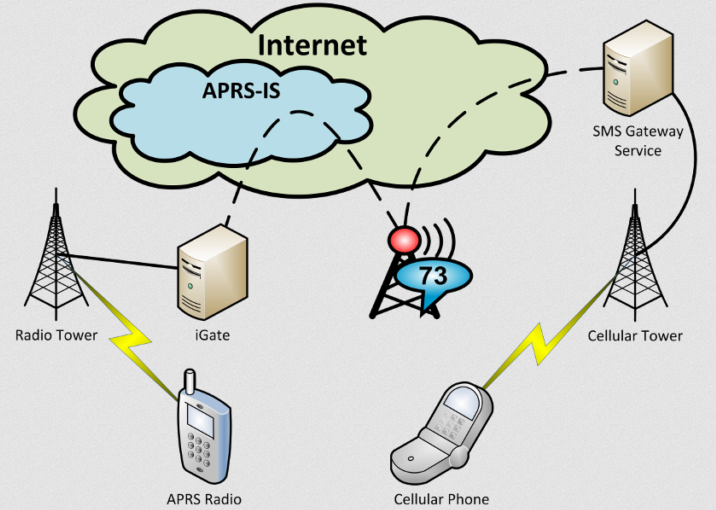
Experienced hams have been talking about using APRS messages for SMS texting to friends and family for a few years now. I was mildly interested but found messaging tedious on a handheld transceiver, as well as the brief privacy implications of APRS SMS registration a barrier to entry. However, when I finally bit the bullet and tried it out, especially with KI6NAZ’s revelations from using an Android tablet to compose messages (in Winlink), I realized that this is a fantastic and wholly viable option to traditional messaging when cell service is down in your immediate area. Hence, I present to you my documented findings of amateur radio texting using APRS. Check it out! https://bit.ly/how2smsaprs. Special thanks to KM4ACK Jason for introducing me to this topic about a year ago, and especially VE3OTB Paul for creating the SMSGTE service, a vital service worthy of donation support.  


Getting Tired of Battery Posts Yet?

I know I am getting tired watching myself talk about batteries. But it’s just fascinating to me to refine the build and power management process of readily available LiFePO4 cells. There are so many kinds! And they keep improving. I guess I have China to thank for that, so much of Maker / electrical components can be found from inexpensive Chinese distributors, making it easier and easier to have your own DIY projects. Anyway, here’s the latest in my series of portable battery builds. I found some really cheap 7Ah cells on Aliexpress, and had to try them out. I don’t want to become “the Battery Guy” since there are tons of people already doing that– and much much better than me. However, I want to share in the collective knowledge. Here’s the latest test of the promising specifications of LiitoKala 32700 batteries.   https://youtu.be/IJ7DjxWB0Pg


Fabricating Gear

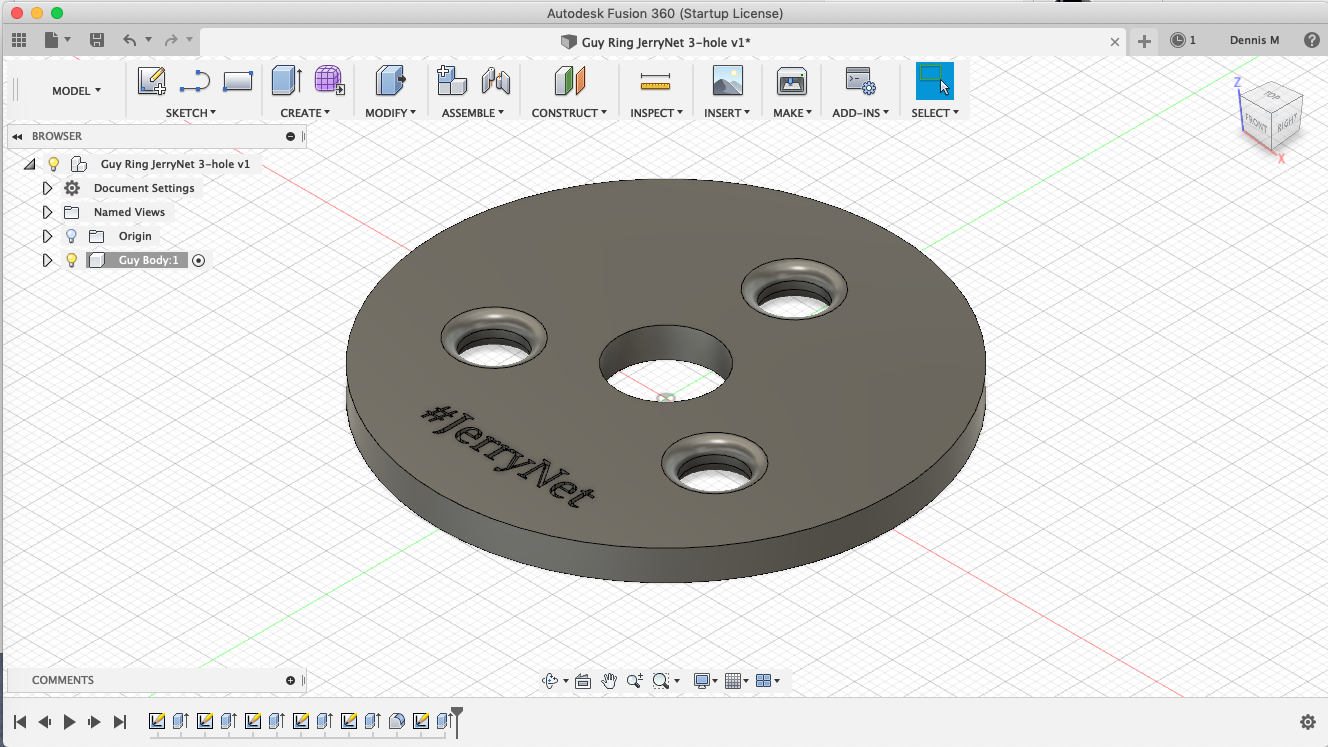
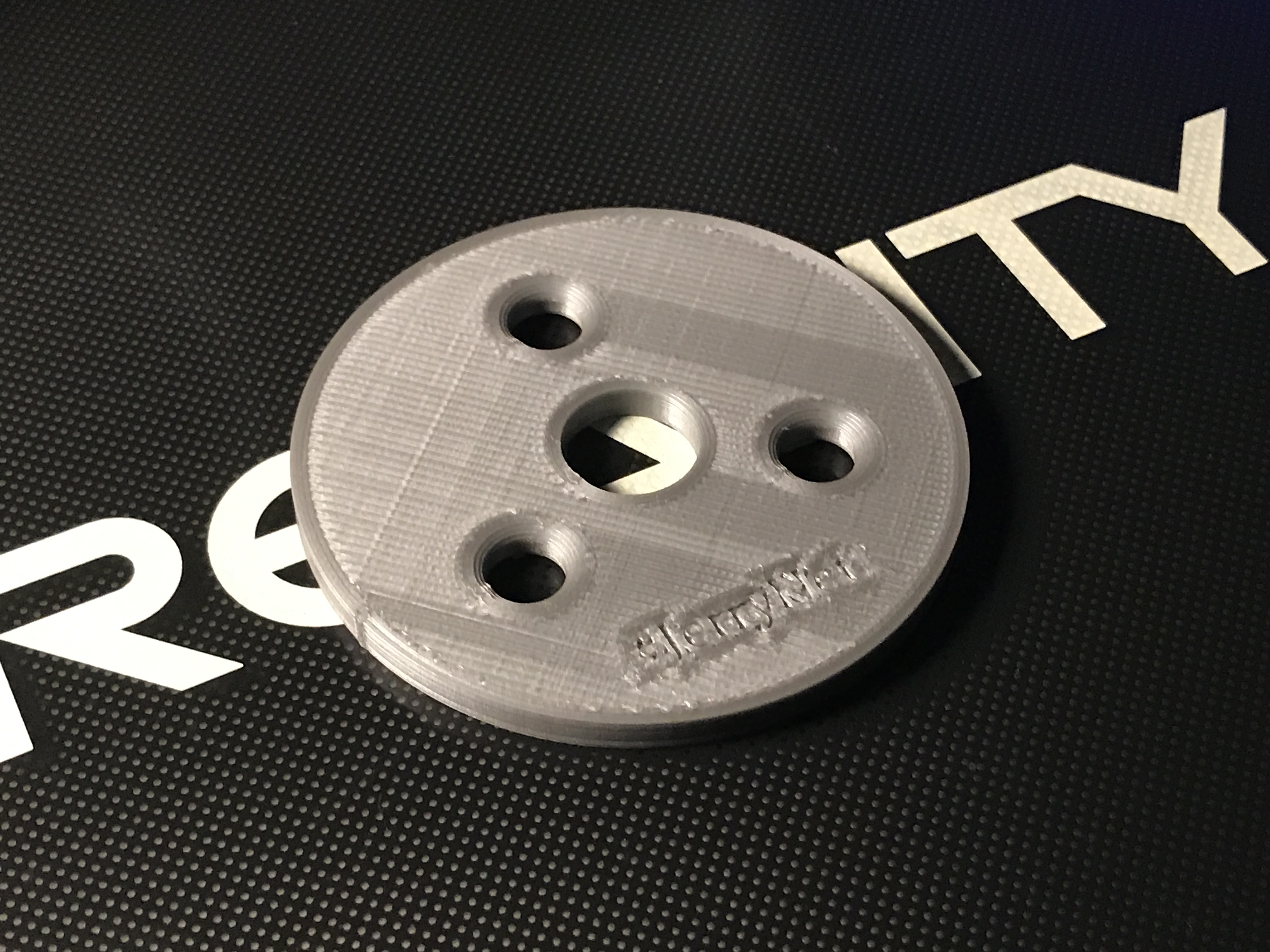
As many on Twitter have seen (and are probably already tired of seeing), I got myself a budget 3D Printer. Several of my coworkers would come to work with their “latest print” and it would range from utilitarian to really cool movie prop reproductions. In my mind, this hobby was prohibitively expensive. Last I heard about 3D printers, the entry-level ones ranged in the $1500+ range. And all I was seeing from those early adopters (circa 2013) was plastic bow ties and other such useless figurines; not enough of a motivator to dish out that kind of cash. I carried this mindset even to just this month, where one coworker said I could obtain a 3D printer for less than $200. He recommended the Anet A8, perhaps the cheapest consumer printer on the market. However, I went with a Creality Ender 3 since my other coworker had extensive experience with this model, and I thought it might be easier to diagnose problems if someone else I knew had the same machine. Since then I’ve started to apply this “toy” toward actual practical uses. And in the latest step, last night I designed a 3-hole guy ring for a portable mast completely from imagination, and printed it. 3D Modeling software for first design. First draft 3D print of 3-hole guy ring Testing fit of guy ring It happens all the time with engineers and artists, but the thought really hit home with this print that something completely in my mind became a real physical object through this process. Here’s another video of something I made from a design I found on Thingiverse. https://youtu.be/NzcrkViZPd8 Build projects will only increase now that it is possible to daydream designs and fabricate my own actual plastic parts.